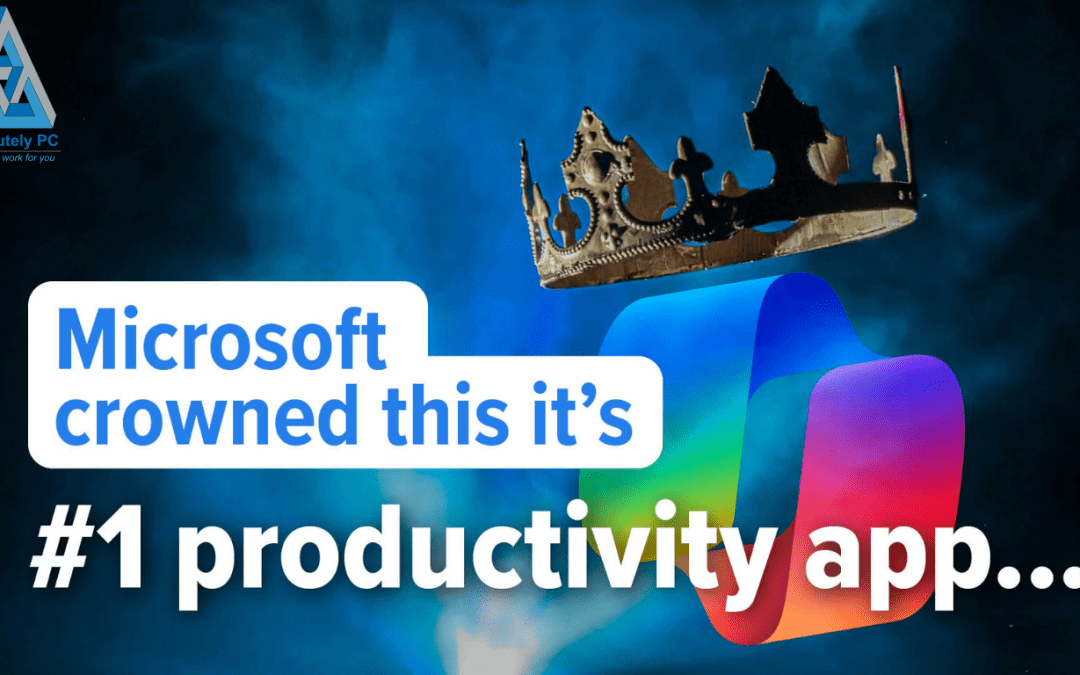
There is a great deal of discussion around artificial intelligence and productivity at the moment, and Microsoft is right at the centre of it. The company recently declared that Microsoft Copilot is the number one productivity app in Windows 11, placing it ahead of long-established tools such as File Explorer, Microsoft To Do, and even the Snipping Tool.
For any business owner running a professional services firm, that is a significant claim worth examining carefully. Productivity is not an abstract concept in regulated industries. It is the difference between meeting client deadlines, maintaining compliance, and running a firm that inspires confidence, or falling behind on all three.
So before accepting the marketing at face value, it is worth asking a more grounded question: does Copilot genuinely improve how your team works, or does it simply add another layer to an already complex technology stack?
What Copilot Actually Does
Microsoft Copilot is an AI-powered assistant built into Windows 11. It sits on the desktop and offers to help with a range of everyday tasks. You can ask it to summarise lengthy email threads, convert rough notes into structured action lists, draft messages, or help organise project ideas. For professionals dealing with heavy correspondence, whether solicitors managing case notes, accountants reviewing financial documentation, or IFAs preparing client reports, there is genuine value in having a tool that can distil complexity quickly.
Consider a common scenario in any regulated firm: a long email chain involving multiple parties, several attachments, and a series of decisions buried within the thread. Extracting the key points manually takes time and concentration. Copilot can surface those points in seconds. That is a meaningful time saving when multiplied across dozens of communications each week.
Equally, drafting initial responses or structuring meeting notes is faster with AI assistance. It does not replace professional judgement, and it must never be relied upon for final client-facing communications without review, but as a starting point, it reduces the blank-page problem that slows many professionals down.
Why the Number One Label Deserves Scrutiny
The challenge with Microsofts claim is that it conflates potential with daily reality. In most professional services firms, the tools that genuinely keep operations moving are far less glamorous than an AI assistant.
File Explorer, for example, is used constantly. It is how your team locates client files, organises case folders, manages document versions, and maintains the structured filing systems that regulators and auditors expect. Nobody gives it a second thought, yet removing it for a single day would bring most practices to a standstill.
Task management tools serve a similar function. Whether your firm uses Microsoft To Do, Planner, or a dedicated practice management system, these platforms keep deadlines visible, responsibilities allocated, and workflows progressing. They may lack the excitement of generative AI, but they are foundational.
Copilot, by contrast, operates as an overlay. It helps you work with information more efficiently, but it does not replace the underlying infrastructure that your business depends upon. Calling it the top productivity app is rather like calling a talented junior associate your most important team member whilst ignoring the partner who manages the client relationships, the compliance framework, and the firms reputation.
Understanding Microsoft’s Strategic Position
It is important to understand why Microsoft is making this claim. The company is investing heavily in AI PCs, hardware specifically designed to run AI workloads locally, and Copilot is the centrepiece of that narrative. Positioning it as the leading productivity tool supports hardware sales, justifies licensing models, and reinforces the message that AI is no longer optional.
None of that is inherently problematic. Technology companies promote their products and that is expected. But for a regulated firm, vendor enthusiasm should never substitute for independent evaluation. The question is not whether Microsoft believes in Copilot. It is whether Copilot solves a genuine problem in your specific working environment. We explored similar themes around AI adoption recently. Many firms discover that AI projects stall when there is no clear governance framework guiding the process, not because the technology itself is lacking.
Where Copilot Adds Genuine Value for Regulated Firms
Despite the scepticism warranted by marketing claims, there are areas where Copilot can make a measurable difference in professional services environments:
Email triage and summarisation. Solicitors, accountants, and brokers routinely deal with high-volume correspondence. Copilots ability to extract key points from lengthy threads reduces the cognitive load and allows professionals to respond more quickly and accurately.
Document drafting and structuring. First drafts of internal reports, briefing notes, and meeting summaries can be produced faster. This is particularly useful for firms where junior staff spend significant time on initial document preparation.
Research synthesis. When reviewing multiple sources of information, whether regulatory updates, market commentary, or client histories, Copilot can help consolidate findings into a coherent summary. This supports better-informed decision-making without replacing the professional’s own analysis.
Meeting preparation. Pulling together agendas, background material, and action items from previous meetings becomes less manual. For partners and directors managing multiple client relationships, this is a practical time saving.
Each of these use cases has merit. But they all share a common requirement: the underlying data and systems must be well-organised. Copilot cannot summarise emails effectively if your mailbox is chaotic. It cannot structure notes if the source material is scattered across personal drives, shared folders, and forgotten attachments.
The Foundations That Actually Drive Productivity
This is where the conversation becomes most important for regulated firms. Productivity in professional services is rarely limited by a lack of clever tools. It is limited by disorganised files, inconsistent processes, unresolved technical issues, and systems that have been patched rather than properly maintained.
If your firms document management is unreliable, adding Copilot on top will not solve the problem. If your team wastes time navigating poorly structured shared drives, the answer is better information architecture, not an AI overlay. If compliance workflows rely on manual steps that should have been automated years ago, the priority is process improvement.
Many firms discover that the biggest productivity gains come not from new technology but from addressing accumulated inefficiencies in existing systems. This concept, often referred to as technical debt, is one of the most significant yet overlooked barriers to productivity in professional services. Legacy configurations, outdated operating systems, and deferred upgrades quietly erode performance and create risk. We examined this issue in detail in our post on whether technical debt is slowing your business, and the findings apply directly to firms considering AI adoption.
Governance, Risk, and AI Adoption
For firms operating in regulated sectors, whether FCA-authorised advisers, SRA-regulated solicitors, or ICAEW-member accountants, adopting any new technology carries governance implications. Copilot processes data. It reads emails, analyses documents, and generates outputs based on the information it accesses. That raises legitimate questions:
- What data is Copilot permitted to access within your environment?
- Are there client confidentiality boundaries that need enforcing?
- How are AI-generated outputs reviewed before they reach clients?
- Does your professional indemnity insurance cover AI-assisted work?
- Are your data classification policies updated to account for AI processing?
These are not hypothetical concerns. They are the kind of questions that compliance officers, risk managers, and senior partners need to address before any AI tool becomes embedded in daily workflows. Ignoring them does not make the risk disappear. It simply means the risk is unmanaged.
AI tools are also expanding into areas that many firms have not yet considered. Features like Copilot Checkout, which allow AI to recommend and complete purchases directly within a chat window, introduce new spending and procurement risks. We covered this emerging issue in Who is Really Approving AI Made Purchases in Your Business, and it highlights why clear policies around AI use are essential, not just for productivity tools, but for every AI-enabled feature your team may encounter.
A Practical Framework for Evaluating Productivity Tools
Rather than accepting any vendors ranking at face value, regulated firms benefit from a structured approach to evaluating productivity tools. Consider the following framework:
- Identify the bottleneck. Where does your team actually lose time? Is it in correspondence, document management, compliance reporting, or client communication? The answer determines which tool, if any, will make a difference.
- Assess the foundations. Before introducing new technology, ensure your existing systems are in good order. File structures should be logical, permissions should be properly configured, and devices should be performing reliably. Sometimes the most effective productivity improvement is simply ensuring that your current hardware and software are properly maintained. We recently discussed how building a device health routine can extend the life of your PCs and eliminate the performance issues that slow teams down, a far less expensive intervention than deploying new AI tools.
- Evaluate governance requirements. What data will the tool access? What review processes are needed? Who is accountable for AI-generated outputs? These questions should be answered before deployment, not after.
- Pilot before committing. Test any new tool with a small group, measure the impact objectively, and gather feedback from the people who will use it daily. Enthusiasm from a vendor demonstration is not the same as value in practice.
- Review and adjust. Productivity is not static. What works today may need refining in six months. Build review points into your technology roadmap so that tools are assessed on their ongoing contribution, not just their initial promise.
The Bigger Picture: AI as Part of a Managed Environment
Copilot is not a standalone solution. It is one component within a broader technology environment that includes your network, your devices, your security posture, your backup systems, and your compliance infrastructure. Treating it as a silver bullet, or as the number one anything, misrepresents how technology actually supports professional services firms.
The firms that achieve sustainable productivity gains are those that take a managed approach to their entire IT environment. They ensure that devices are maintained, software is current, security is layered, and new tools are introduced with proper planning and governance. AI fits within that framework. It does not replace it.
Where Does Your Team Actually Waste Time?
Microsoft’s claim that Copilot is the top productivity app in Windows 11 may well reflect the company’s vision for the future of work. But for a professional services firm operating in a regulated environment, the more productive question is a personal one: where does your team actually lose time each day?
If the answer is drafting, summarising, and organising information, then Copilot may be worth exploring, with the right governance in place. If the answer is disorganised files, unreliable systems, unclear processes, or unresolved technical issues, then no AI assistant will address the root cause.
The best productivity tool is still the one that solves your most pressing daily challenge. Sometimes that is a sophisticated AI assistant. More often, it is a properly managed IT environment where everything simply works as it should.
If you would like to understand where your firms real productivity opportunities lie, and whether Copilot or any other tool is the right fit, we are here to help. Get in touch for a straightforward, independent conversation.
What next?
One of my passions is helping businesses to succeed and if I can help you save some money as well – even better. You can fill out our contact form, phone us or click on the appointment button below and let’s start a conversation to see if I can help your business. Our guarantee:
- There are no hidden charges – this is a 100% free 15 minute consultation with no hidden charges.
- We will never spam you or sell on your contact details.
- We will treat your information with absolute confidentiality.
Other Posts for you to Enjoy