Artificial intelligence is quickly changing how work gets done… but some of the newest features may surprise you. Not because they’re clever — but because of how quietly they can bypass the systems you rely on to keep your business under control.
Here’s a question most business owners and managers haven’t yet asked themselves: If one of your team members bought something inside an AI chat window… would you even know about it?
Believe it or not, that’s exactly the direction things are heading.
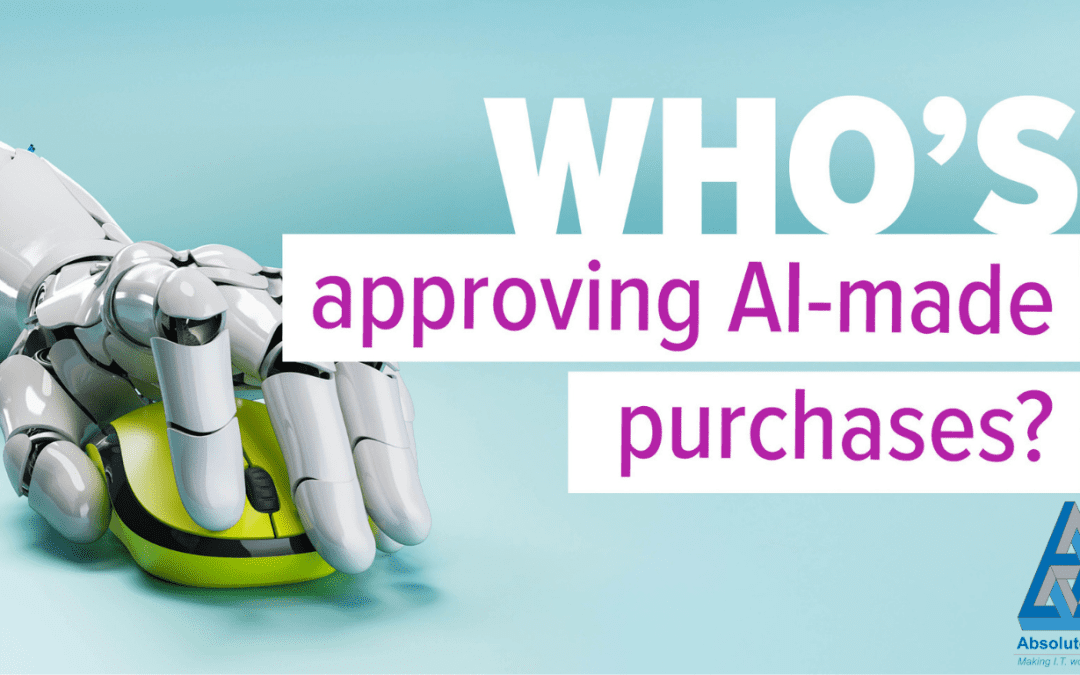
AI Isn’t Just Helping Anymore — It’s Buying Things
Many people already use tools like Microsoft Copilot or ChatGPT to help write emails, summarise documents, or generate ideas. That’s nothing new.
But now we’re entering a very different phase: AI tools that can recommend and complete actual purchases.
ChatGPT started it with its Instant Checkout feature. Now Microsoft is rolling out Copilot Checkout, allowing users to:
- Ask for recommendations (software, laptops, accessories, services — anything)
- See suggested products
- Click “Buy”
- And complete the whole process without leaving Copilot
No website.
No checkout page.
No “Are you sure?” confirmation screen.
Just a frictionless purchase completed right inside the AI window.
From Microsoft’s perspective, it’s brilliant — their data shows people buy more readily when Copilot is involved. So the feature is being pushed across Copilot, Bing, Edge, and even MSN.
Convenient for Staff — Complicated for Your Businesses
While the average consumer might love this convenience, businesses need to look at it through a very different lens.
The obvious question is: Do you want your staff making purchases this way?
Most organisations have purchasing processes for a reason:
- Approval steps
- Budget limits
- Supplier lists
- Documentation trails
Copilot Checkout risks quietly bypassing those systems — especially if employees use it casually or don’t realise the implications.
And Then There’s the Data Side of Things
To process a purchase, Copilot needs access to:
- Payment information
- Account details
- Delivery addresses
- Shopping history
Copilot Checkout integrates with reputable platforms like PayPal, Stripe, and Shopify — but trustworthiness isn’t the issue.
The real question is whether your policies account for this kind of behaviour.
- If an employee is logged in with their work Microsoft account, whose card is being used?
- What information is Copilot allowed to store or reuse?
- Are the purchases logged anywhere your finance team can see?
If nobody knows the answers, you’ve already lost oversight.
Frictionless Buying = Higher Spending
Microsoft openly admits that purchases involving Copilot are far more likely to be completed.
For suppliers, that’s great.
For your budget? Maybe not.
When buying becomes effortless, spending increases — unless your business has clear rules and monitoring in place.
So What Should Your Business Do?
None of this means Copilot Checkout is inherently bad — but you shouldn’t leave it to chance.
If you decide to allow it, make sure you have:
- Clear rules about who can buy
- Defined categories of what they can purchase
- Approved payment methods
- Visibility into AI‑assisted purchases
- Guidance so staff understand that convenience does not replace responsibility
And if you decide not to allow it?
That needs to be clear too. Because if you don’t spell it out, people will assume it’s allowed.
AI features like this rarely arrive with big announcements. They just… appear. And by the time you realise it’s impacting your business, it may already have caused unnecessary costs or data exposure.
Need help navigating these new AI features?
As AI rapidly evolves, it’s critical to stay ahead of these shifts — not find out about them when an unexpected purchase hits your accounts team.
If you want clearer guidance on what’s right for your business, my team and I are here to help you put the right safeguards, settings, and policies in place.
What next?
One of my passions is helping businesses to succeed and if I can help you save some money as well – even better. You can fill out our contact form, phone us or click on the appointment button below and let’s start a conversation to see if I can help your business. Our guarantee:
- There are no hidden charges – this is a 100% free 15 minute consultation with no hidden charges.
- We will never spam you or sell on your contact details.
- We will treat your information with absolute confidentiality.
Other Posts for you to Enjoy