
Expert Advice from our Blog
Keep up to date with the latest IT news and get tips, advice and updates from the team in the Absolutely PC blog.
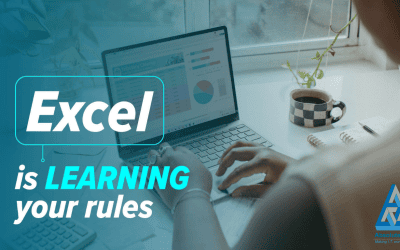
Excel Is Learning Your Rules: What Copilot’s New Memory Means for Regulated Firms
Most people think AI in Excel is about faster number crunching. The latest Copilot update is quietly more significant: Excel is starting to learn how your firm actually works, remembering how you format figures, structure reports and apply your team’s conventions. For regulated firms, that promises genuine consistency, but it also raises a governance question. This post explains what is changing, where the real value sits, and why human oversight still matters.
Use Windows Voice Typing to Write Faster
Still typing every email and document by hand? Windows Voice Typing lets you turn speech into text with a simple keyboard shortcut, helping you create emails, notes and documents more quickly and efficiently.

AI Can Save Your Firm Hours, But It Must Never Replace the Human Voice Clients Trust
Have you noticed how many firms’ websites, emails and letters are starting to sound identical? Professional, polished and completely forgettable. As AI becomes part of everyday professional practice, the firms that stand out are the ones that still sound human. This post explains where AI genuinely saves regulated firms time, where it quietly erodes the trust clients pay for, and how to keep the efficiency without losing your voice.
Schedule Emails in Outlook and Send Them at the Perfect Time
Working late but don’t want emails landing in someone’s inbox at 11pm? Outlook’s Send Later feature lets you write emails when it’s convenient for you and schedule them to arrive during normal business hours.
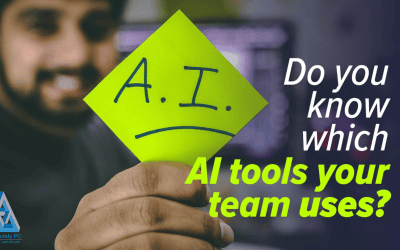
Do You Actually Know Which AI Tools Your Team Is Using?
AI may not be the biggest risk in your firm. The bigger risk might be that nobody is talking about it. Many regulated firms are convinced they have not adopted AI, yet their people are quietly using public tools to draft client emails and summarise sensitive documents. This post explains why unmanaged AI spreads so quickly, where the real compliance exposure sits, and how an open conversation turns a hidden risk into a governed one.
Check Which Apps Can Access Your Webcam in Windows 11
Ever wondered which apps can access your webcam? Windows 11 lets you view and manage camera permissions in seconds, helping you improve privacy, investigate unexpected webcam activity and keep better control of your device.

When Your People Become the Glue Between Systems: The Hidden Compliance Cost of “Human Middleware”
AI was supposed to make regulated work simpler. Instead, many firms find their people quietly acting as the glue between disconnected systems, copying client data by hand, re-checking outputs and bridging tools that will not integrate. It can feel productive while it happens, but each manual handoff is an unlogged, unaudited control gap. Here is how to spot “human middleware” in your firm and why a governance-first review of your technology matters.
Protect Sensitive PDFs with a Password Before Sending
Sending contracts, financial reports or confidential documents as PDFs? Learn how to password-protect PDFs directly from Microsoft Word and add an extra layer of security to sensitive business information.
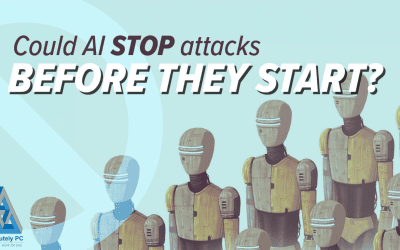
Now AI is Scanning for Weaknesses, Should Regulated Firms Rethink Cyber Security?
Cyber security is shifting. AI is beginning to hunt for weaknesses before attackers can exploit them, and Microsoft’s early work is genuinely impressive. But for regulated firms, the headline technology does not change the foundations that keep client data safe and audit-ready. Here is the measured, board-level view on where AI fits, and why the basics still matter most.
Why Checking for HTTPS Could Protect Your Business from Cyber Threats
Before entering your password or payment details online, take two seconds to check for the padlock icon and HTTPS in the address bar. This simple habit can help protect your business from phishing scams, fraudulent websites and data theft.

When Small Delays Become a Governance Question: Windows 11’s Quiet Performance Overhaul
The tiny pauses your team barely notices – a folder that opens a beat late, a window that lags when you switch – add up to real lost time and quiet frustration. Microsoft is now reworking Windows 11 to be faster and smoother at its foundations. For regulated firms, that shift towards responsiveness and reliability is less about convenience and more about accuracy, continuity and client confidence.
Quick Tip: How to Stay Organised with Multiple Desktops in Windows 11
Working on multiple projects at the same time? Windows 11 Virtual Desktops let you create separate workspaces for emails, Teams, project work and more, helping you reduce clutter and stay focused throughout the day.
Our goal
Professional IT Services & Technology Consulting
TESTIMONIALS
What People Are Saying
We're Here To Help!
Fill in the form, send us an enquiry today
Office
Unit 1, Grove Industrial Estate, Gloucester Rd, Patchway, Bristol BS34 5BB
Opening Hours
Mon - Fri - 8am - 5.30pm
Sat/Sun - Closed
Call Us
0117 9759 523