
Microsoft Windows 10 End of Life in...
Day(s)
:
Hour(s)
:
Minute(s)
:
Second(s)
Windows 10 operating system will become end of life on October 14th 2025. Read what this means for your business and what you can do about it.
Windows 10 – What is it?
Windows 10 was launched in July 2015 and was an upgrade to Windows 7. It was replaced by Windows 11 in October 2021 and this version of Windows is now our recommended operating system for business users.
Microsoft has announced support for Windows 10 will end on October 14th 2025 which is another way of saying Windows 10 will be End of Life on this date. So what does this mean and what should you do to protect your business?
What is End of Life for Windows 10?
End of Life is Microsoft’s terminology and it’s way of saying it will no longer support Windows 10. There are organisations that will be paying for extended support but this is extremely expensive and not an option for most businesses.
So what exactly will happen on 14th October 2025?
The answer is relatively simple. Microsoft will no longer supply any software updates, any technical support and most importantly any security updates for this version of Windows.
Will my computer stop working?
No, Windows 10 will continue to work on your computer after 14th October 2025. However, there will be no support available for it and more importantly there will be no security updates released by Microsoft.
Do I need security updates?
After October 14th 2025 Microsoft will stop sending security updates to your Windows 10 computers. Do you actually need these security updates? Yes! This cannot be overstated enough, security updates are required in order to remove bugs and security flaws that are found on a weekly basis. Without security updates your computer becomes more vulnerable to attack by cyber criminals and in a worst case scenario you could lose your data or potentially leave your entire business open to attack.
Why Windows 10 is more vulnerable to cyber attacks?
Windows 11 is actually made up of modules inherited from Windows 10, Windows 7, Windows XP, Windows 2000, Windows 98 and even Windows 95.
Windows 11 does contain lots of new features and has a lot of new code but a substantial amount of the operating system is inherited from previous versions of Windows. This is a problem because if Microsoft fix a bug in Windows 11 which happens to also exist in Windows 10 then cyber criminals now know what to do to exploit this vulnerability in Windows 10.
Essentially the bug might have existed for years or possibly decades but the act of fixing it has just signposted this flaw for every other system. This is the biggest reason we recommend that all businesses should upgrade before the end of life date of 14th October 2025.
Can I upgrade my computer to Windows 11?
Like any operating system Windows 11 has a minimum specification requirement and recommended specification requirement. The recommended specification is higher but also ensures the system runs faster and gives a better experience.
Windows 11 is the first operating system to not support 32 bit processors and requires a compatible 64 bit processor. In reality most of the processors produced in the last 5 years will probably work.
The memory requirement is 4Gb but we would highly recommend a minimum of 8Gb. In order to future proof and ensure the computer is much more responsive, we would recommend 16Gb of RAM. In fact it is probably the best £20 (ish) you will spend on your IT.
There are other requirements for hard drives, display, graphics etc but the biggest stumbling block for most older computers is the requirement for a Trusted Platform Module v2.0 (TPM). Most computers built in the last 5 years have this but very few are set to be enabled without messing around in the BIOS (that is the system that loads before Windows and it can be accessed when the computer is on the initial black screen before the Windows loading screen appears).
Is there a way to test my computer to see if it will run Windows 11?
Absolutely. Visit Microsoft “how to check if your device meets Windows 11 system requirements” and download the PC Health Check app (option 1 on the page).
This will tell you if your computer is compatible and if not which parts have failed.
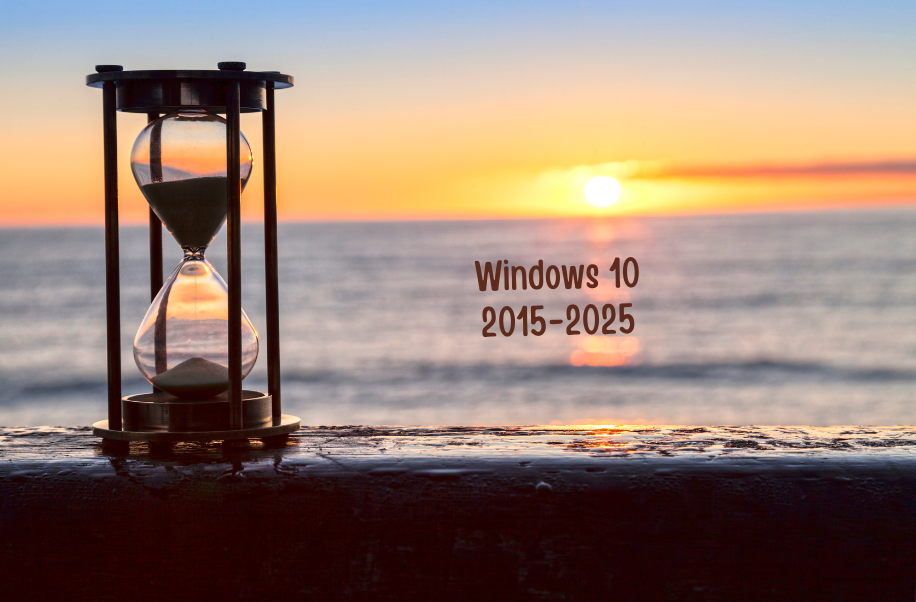
Windows 10 End of Life
How much does it cost to upgrade to Windows 11?
The upgrade to Windows 11 is free of charge (at the time of writing).
How do I install Windows 11?
After checking the PC Health Check application you can run “Check for updates” and Windows 11 will be available to download and install.
Note the entire process can take a number of hours and if your PC is minimum specification you might be advised to leave it running overnight.
Once complete it is worth rebooting and running the update checker multiple times until your system reports it is up to date.
Should I buy a new computer?
The simple answer is, it depends. I have this type of conversation hundreds of times a year and I always try to give the right advice for each business.
Does the person using the computer get slowed down waiting for the computer to run programs etc? If so it might be worth replacing the computer or if it is a good specification there might be a bottleneck causing the slowdown such as low memory or an old hard drive.
What would happen if the computer failed suddenly? If your entire business stops then this is definitely a reason to consider regular replacements every 3 years or so.
If a computer failing just means someone swaps to another PC for a couple of days whilst a replacement is purchased and setup then replacing your computers every 5 years might be adequate for your business.
Ultimately, if the hardware is not able to support the latest security standards there is no question in my mind, replace it.
What should I do with my old computer
As a business you need to consider WEEE regulations when disposing of your old computer in addition to ensuring the data is completely wiped.
When buying a new computer from us we offer a recycling facility which includes securely wiping the computer and supply a data wipe certificate. The machine is then sent for recycling which ensures it is disposed of legally by dismantling and fully recycling all parts of the computer so none of it ends up in landfill.
How can we help?
Changing your IT system can be scary, that’s why you have probably been putting it off for a while.
Our aim is to take the hassle and stress out of the change by managing the entire process from the initial discussion about what you need your systems to do, right through to delivering the kit. Your staff will turn on and find the same programs and files and will be able to get to work right away. If not our team is only a phone call away and they will be supported through the entire process.
October 2025 sounds like a long time but the sooner you get started the more time we have to plan your system, exactly as you need it.
What next?
One of my passions is helping businesses to succeed and if I can help you save some money as well – even better. You can fill out our contact form, phone us or click on the appointment button below and let’s start a conversation to see if I can help your business. Our guarantee:
- There are no hidden charges – this is a 100% free 15 minute consultation with no hidden charges.
- We will never spam you or sell on your contact details.
- We will treat your information with absolute confidentiality.
Other Posts for you to Enjoy